
Reports & GST Intelligence
Read the numbersfrom bills you already confirmed.
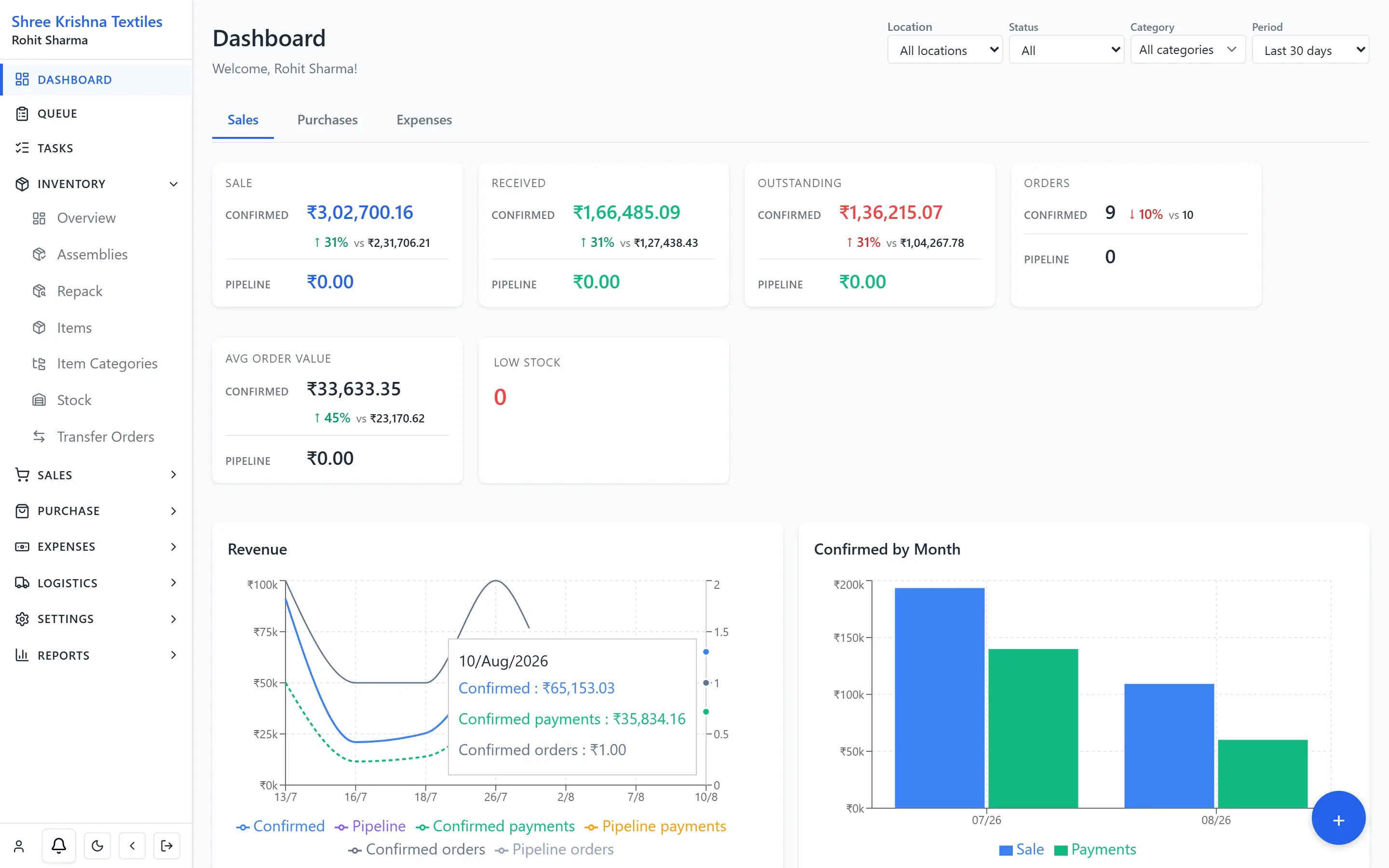
QABILL does not keep a second set of books. Sales, inventory valuation, receivables, and GST figures flow directly from confirmed transactions — unapproved drafts are strictly excluded.
EssentialAdvanced reports and the dashboard are on Essential and Professional. Free includes basic reports and basic GST.
14 days free · No credit card required
Workflow
The reporting sequence.From confirmed transaction to audit-ready figures.
Confirmed Document Feed
Reports pull exclusively from verified invoices, receipts, and returns. Drafts are excluded so numbers are never distorted.
Cash & Aging Analysis
Daybook tracks liquidity across cash, UPI, and bank accounts while ageing schedules pinpoint delayed customer settlements.
Offline GST Preparation
Export compliant GSTR-1 JSON with complete tax and HSN breakdowns, ready to import directly into the GST offline tool.
Catalog
The 32 standard reportsin the product.
GST reports are hidden when the business is not GST-registered.
Finance
- Payment Report
- Daybook
- Customer Outstanding (Receivables Ageing)
- Customer Statement
- Collections
- Write-offs
- Vendor Outstanding (Payables Ageing)
- Vendor Statement
GST
- GST Summary
- GSTR-1 (Outward)
- GSTR-3B Summary
- GST by Rate
- GST HSN Summary
- GST Purchase / ITC
Sales
- Sales Summary by Date Range
- Sales Returns Summary
- Fulfillment Backlog
- Customer / Item ABC
- Quote Conversion
Purchases
- Purchase Summary
- Purchase Returns Summary
- Open PO / GRN
Inventory
- Current Stock / Low Stock
- Stock Movement Ledger
- Dead / Slow Stock
- Transfer Summary
- Assembly Consumption
- Gross Margin
Logistics
- LR Tracking Report
- Transit Loss / RTO Summary
Expenses
- Expense Report
Tasks
- Task Report
GSTR-1 JSON is for the portal’s Prepare Offline upload. The screen says it is not an official filing export. QABILL does not send the return to the portal, and it does not issue an e-invoice IRN or an e-way bill.
Operational Doubts
Questions trade businessesask about reports and GST.
Can operational and tax reports be exported to Excel or PDF?
Yes. Major operational reports, including Daybook, Sales Register, Stock Summary, and Receivables Ageing, can be printed or exported as Excel spreadsheets for sharing with your chartered accountant.
How does the GSTR-1 JSON export work with the government GST portal?
QABILL compiles your confirmed B2B invoices, B2CS sales, credit notes, and HSN summary into a standard GSTN-compliant JSON file. You upload this directly into the official GST offline tool without manual data re-entry.
Does the Daybook show cash payments, bank transfers, and expenses together?
Yes. The Daybook provides a unified chronological ledger of all money in (customer payments, counter cash) and money out (vendor payments, operating expenses) categorized by payment method.
Where the numbers come from
Open one report from a confirmed invoice.
14 days free · No credit card required